Icon

Inventory

Channels

Icon

Shopify Inventory Management App for Multichannel Sellers

Channel Bay keeps your inventory, orders, purchase orders, returns, and stock alerts

connected across every channel and location.

Hero Image
Hero Image

Built by the team behind Report Pundit, Data Export, and Bloom Analytics

Trusted by 50,000+ eCommerce merchants.

Shopify Inventory Management
Shouldn’t Feel Like a Daily Emergency

When Shopify, Amazon, retail sales, supplier orders, and warehouses all work separately,

your team ends up chasing inventory instead of managing it.

Too Much Manual Work

 Downloading reports, updating stock manually, switching between channels, and fixing errors after they happen.

Overselling Across Channels

The same SKU sells twice because your Shopify, Amazon, POS, and warehouse stock are not fully connected.

No Clear Reorder Timing

You either over-order because you are afraid of running out, or you wait too long and lose sales.

Inventory Spread Everywhere

Spreadsheets, suppliers, locations, purchase orders, returns, and transfers all live in different places.

One Inventory Truth Across
Every Channel

Sync your Shopify, Amazon, retail, and warehouse inventory so every sale updates your available stock everywhere it matters.

Sync Stock Across Channels

Keep inventory updated across Shopify, Amazon, and other ecommerce channels.

Live channel sync

Synced

Available

1,248

Channels

6 live

Live channel sync

Synced

Available

1,248

Channels

6 live

Live channel sync

Synced

Available

1,248

Channels

6 live

Background Image

Prevent Overselling

Avoid selling the same unit twice when the same SKU is listed in multiple places.

15

units left

Air Jordan 1 Retro

Shopify order pending

5 Units

reserved

Amazon quantity

5 Units

auto-reduced

15

units left

Air Jordan 1 Retro

Shopify order pending

5 Units

reserved

Amazon quantity

5 Units

auto-reduced

Background Image
Background Image

Track Inventory by Location

See what is available across stores, warehouses, and fulfillment locations.

Background Image

Warehouse

820

Retail floor

214

Fulfillment

162

Replace Spreadsheet Workarounds

Manage inventory without CSV exports, manual macros, or disconnected sheets.

Background Image
Background Image

CSV

Auto

Inventory

1,240

always live

CSV

Auto

Inventory

1,240

always live

Order the Right Stock From the
Right Supplier

Create and track purchase orders without losing details in spreadsheets, supplier emails, or invoices.

Create Purchase Orders Easily

Build accurate purchase orders directly inside your inventory workflow.

Manage Supplier Costs

Keep supplier details, product costs, and incoming stock organized.

Feature Image 1
Feature Image 1
Feature Image 1
Feature Image 1

Track Every PO Status

See open, overdue, partially received, and closed purchase orders.

Know What’s Coming In

Track incoming inventory before it arrives at your warehouse or store.

Keep Every Sale
Connected to Inventory

Keep Every Sale
Connected to Inventory

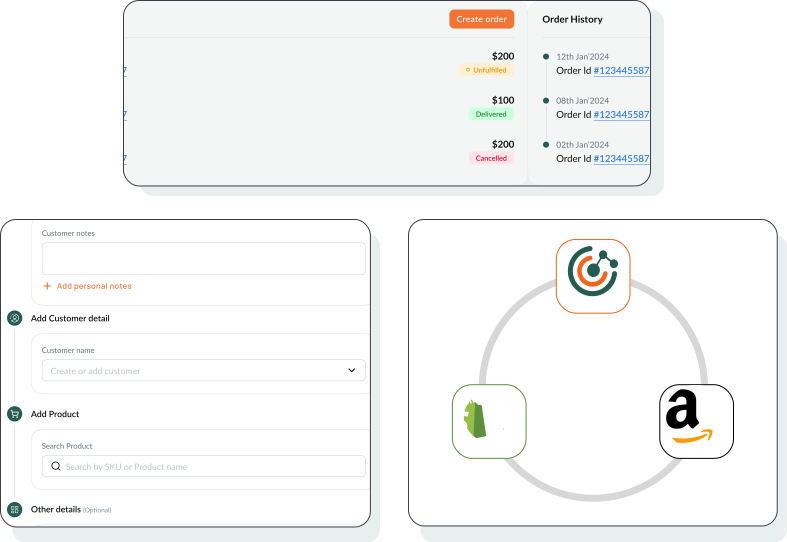
Whether the order comes from Shopify, Amazon, retail, or manual sales, Channel Bay keeps your stock counts accurate.

Whether the order comes from Shopify, Amazon, retail, or manual sales, Channel Bay keeps your stock counts accurate.

Online Orders

Online Orders

Track orders from Shopify, Amazon, and connected ecommerce channels.

Manual Sales Orders

Create manual orders for wholesale, retail, phone, or offline sales.

POS Inventory Deduction

Deduct inventory correctly when products sell in-store.

Real-Time Stock Updates

Keep orders and inventory synced across online and offline channels.

Feature Image 3
Feature Image 3

Connected Sales

Every sale updates stock

Synced

1,284

2,500

available stock

Shopify order received

stock −1

Manual sale created

synced

Feature Image 1
Feature Image 1

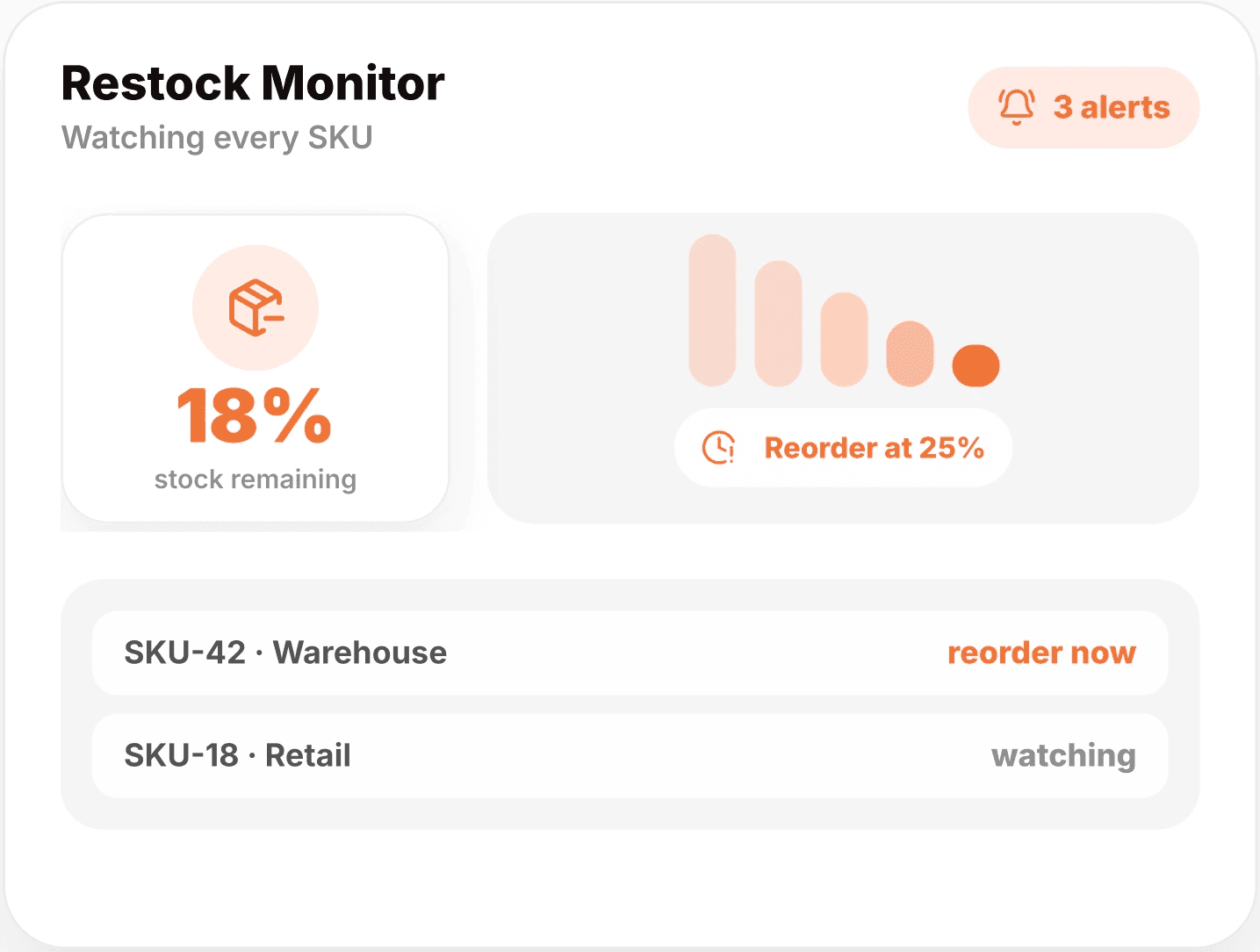
Restock Monitor

Watching every SKU

3 alerts

18%

18%

stock remaining

Reorder at 25%

SKU-42 · Warehouse

reorder now

SKU-18 · Retail

watching

Know What Needs Restocking Before It Runs Out

Know What Needs Restocking Before It Runs Out

Stop checking dashboards all day. Channel Bay alerts you when SKUs fall below your chosen stock levels.

Stop checking dashboards all day. Channel Bay alerts you when SKUs fall below your chosen stock levels.

Restock on Time

Restock on Time

Get notified before important products run out.

Monitor Every Location

Monitor Every Location

Track low stock across stores, warehouses, and inventory locations.

Avoid Lost Sales

Avoid Lost Sales

Prevent stockouts before they turn into missed revenue.

Reduce Daily Checking

Reduce Daily Checking

Configure your rules once and let Channel Bay watch your inventory.

Keep Your Actual
Stock Count Honest

Real-world inventory changes constantly. Products get damaged, moved, miscounted, returned, or refunded.

Channel Bay helps you keep your on-hand inventory accurate through every adjustment.

Stocktakes

Update counted quantities and correct small inventory errors quickly.

Transfers

Track stock moving between warehouses, stores, or fulfillment locations.

Returns

Monitor returned quantities and keep sellable stock accurate.

Adjustments

Update inventory when damage, loss, or miscounts happen.

Seamless Integrations
Connect in Minutes

Channel Bay works where you sell.

Easily connect your channels and let the platform handle the sync products, orders, inventory, and more.

Feature Image
Feature Image

Shopify Integration

Shopify Integration

Real-time product and inventory sync

Automatic order updates

Customer data import

No-code setup — connect in minutes

Feature Image
Feature Image

Amazon Integration (FBM)

Amazon Integration (FBM)

Manage listings across marketplaces

Sync inventory and orders

Support for FBA + FBM workflows

Performance analytics

Coming Soon

We’re actively building integrations with more platforms you love:

Feature Image
Feature Image
Feature Image
Feature Image
Feature Image
Feature Image
Feature Image
Have a platform in mind?

Start With the
Inventory Control You Need Today

Choose ChannelBay for your Business then scale as your channels, locations, and order volume grow.

Free

Lifetime Offer

Icon

MultiChannel Inventory Sync (Amazon)

Icon

Multistore and Market Connectivity

Icon

Barcode Stocktake Session Update

Icon

Vendor/Supplier and Customer Management

Icon

Purchase Order Manager and Tracker

Icon

Stock Transfer Management

Icon

Sales and Inventory Reports

Icon

Stocky Migration Support

Free

Lifetime Offer

Icon

MultiChannel Inventory Sync (Amazon)

Icon

Multistore and Market Connectivity

Icon

Barcode Stocktake Session Update

Icon

Vendor/Supplier and Customer Management

Icon

Purchase Order Manager and Tracker

Icon

Stock Transfer Management

Icon

Sales and Inventory Reports

Icon

Stocky Migration Support

Free

Lifetime Offer

Icon

MultiChannel Inventory Sync (Amazon)

Icon

Multistore and Market Connectivity

Icon

Barcode Stocktake Session Update

Icon

Vendor/Supplier and Customer Management

Icon

Purchase Order Manager and Tracker

Icon

Stock Transfer Management

Icon

Sales and Inventory Reports

Icon

Stocky Migration Support

Start Managing
Shopify Inventory With Confidence

Sell everywhere. Restock on time. Stop overselling.

Background Image

Start Managing
Shopify Inventory With Confidence

Sell everywhere. Restock on time. Stop overselling.

Background Image

Start Managing
Shopify Inventory With Confidence

Sell everywhere. Restock on time. Stop overselling.

Background Image

Start Managing
Shopify Inventory With Confidence

Sell everywhere. Restock on time. Stop overselling.

Background Image